Naga
- Role
- Design & build, solo
- Timeline
- Sep – Oct 2026
- Platform
- iOS, native Swift
- Status
- Personal prototype
- Built with
- SwiftUI · Supabase · TomTom
Introduction
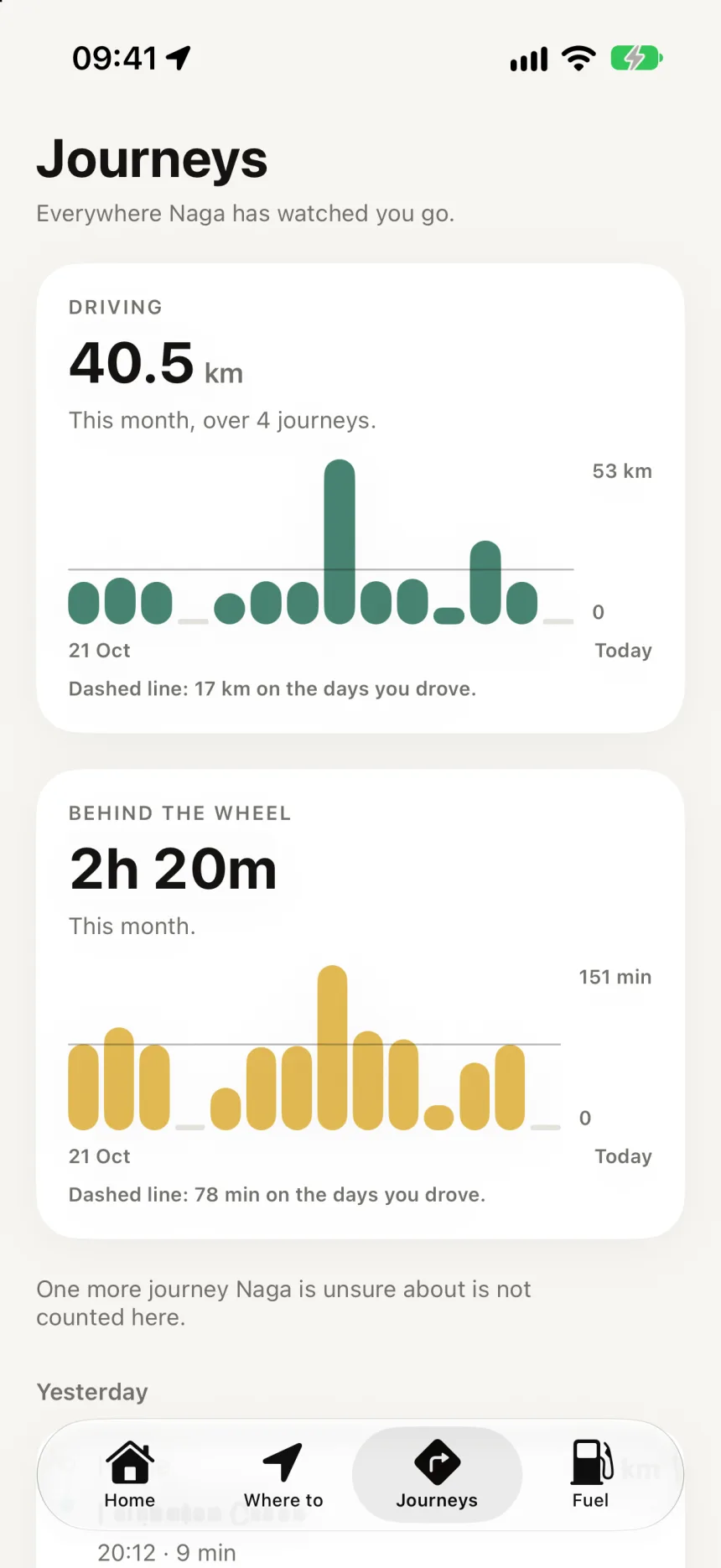
A companion for Nairobi drivers that remembers your journeys instead of navigating them. Getting around Nairobi means a string of small decisions: when to leave, which way to go, whether to drive or take a boda, when to fill up. Those decisions are spread across maps, ride-hailing apps, fuel receipts and memory.
Map apps solve the next turn. Naga is about the pattern across many trips, which the spec calls the continuity problem. It learns how you move, keeps track of the details, and only speaks up when something could change what you decide.
01Point of view
The user simply moves. Naga does the remembering.
The first version is for one kind of person: someone who drives their own car around Nairobi. Uber rides and boda trips are recorded alongside, but matatu routes, fare comparison and public transport were left out on purpose. I described the people I was designing for by how they behave rather than who they are: the daily commuter, the multi-modal user, the frequent city mover, and the driver, who comes first.
Before writing any code, I wrote one long product document covering principles, the data model and the rules about what Naga may say. Every later decision traces back to a numbered section of it.
Only interrupt when the information could reasonably change a decision.
Naga product spec, §8.7
02Key decisions
Saying less, and being right when it speaks.
- 01
Track journeys, don’t navigate them.
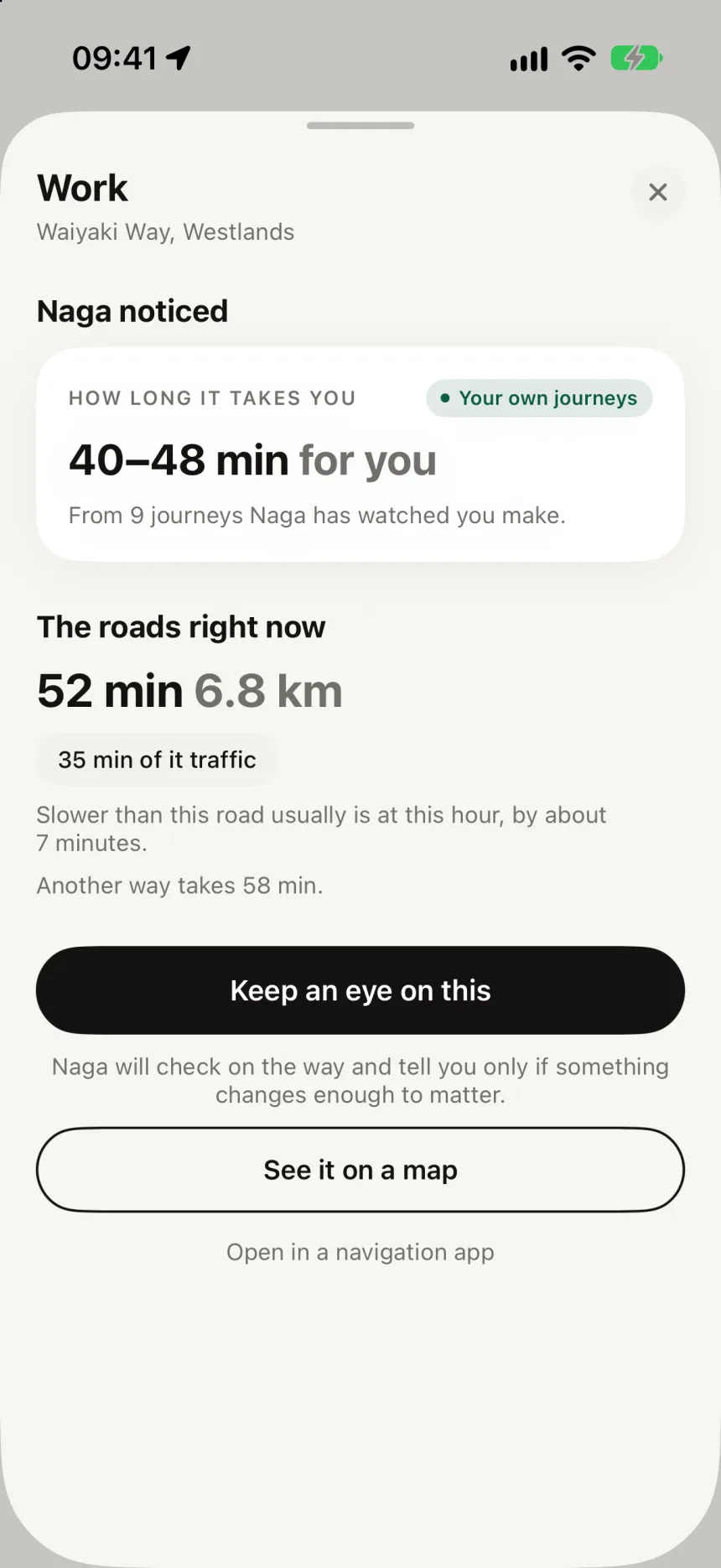
Turn-by-turn directions would mean owning voice guidance, lane guidance and safety-critical behaviour in traffic, all to smooth over a moment the user only hits now and then. Naga hands off to whichever navigation app you already use.
- 02
Ask about traffic when something changes, not on a timer.
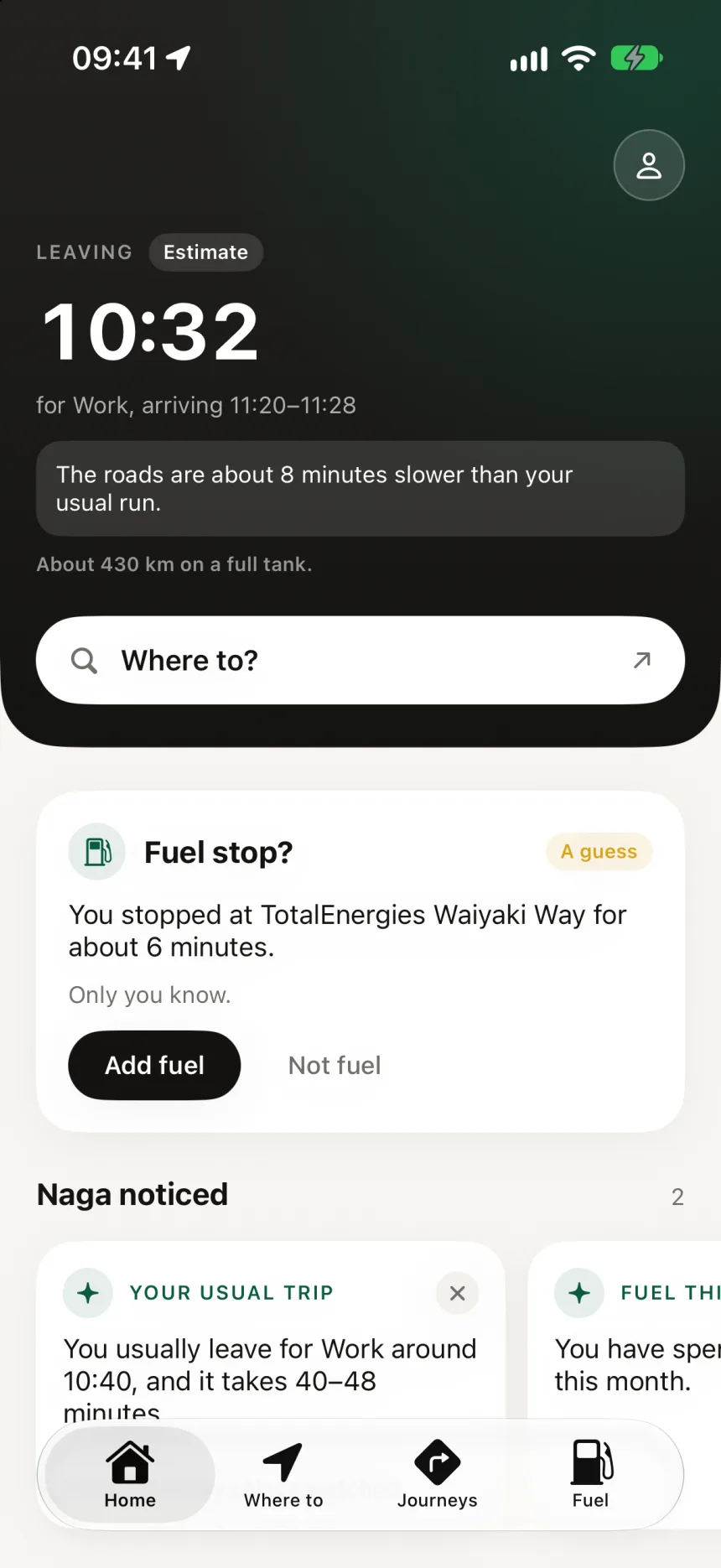
Progress and route deviation are worked out on the phone, which costs nothing. The traffic provider is only asked when a signal changes. My rough model put that at about 425 calls per user a month, against about 3,000 for polling every minute.
- 03
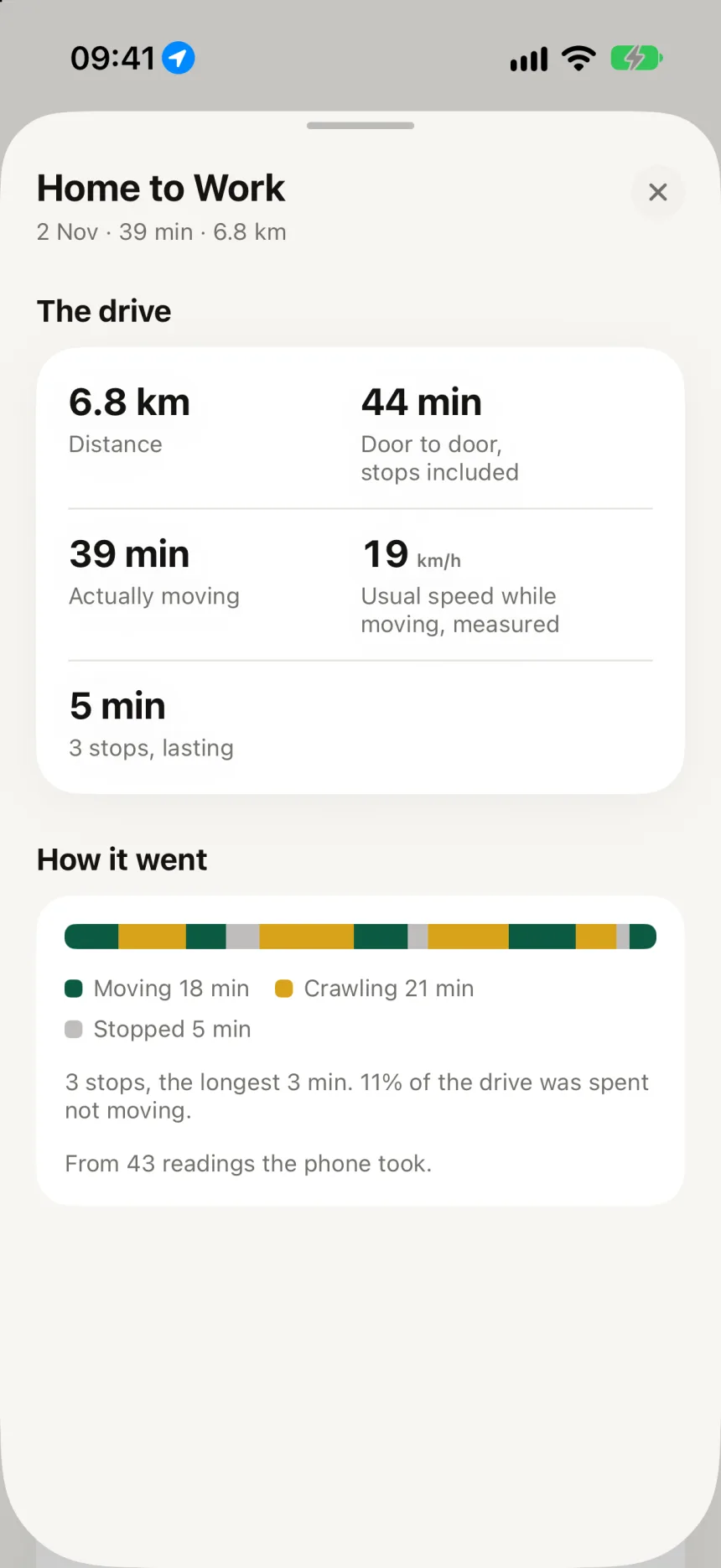
Sitting in traffic is not stopping.
A phone sitting still at a Nairobi junction looks exactly like an arrival. Naga only treats stillness as an arrival when there is no jam underneath it, so a long wait at a roundabout doesn’t split one journey into two.
- 04
Say nothing rather than the wrong thing.
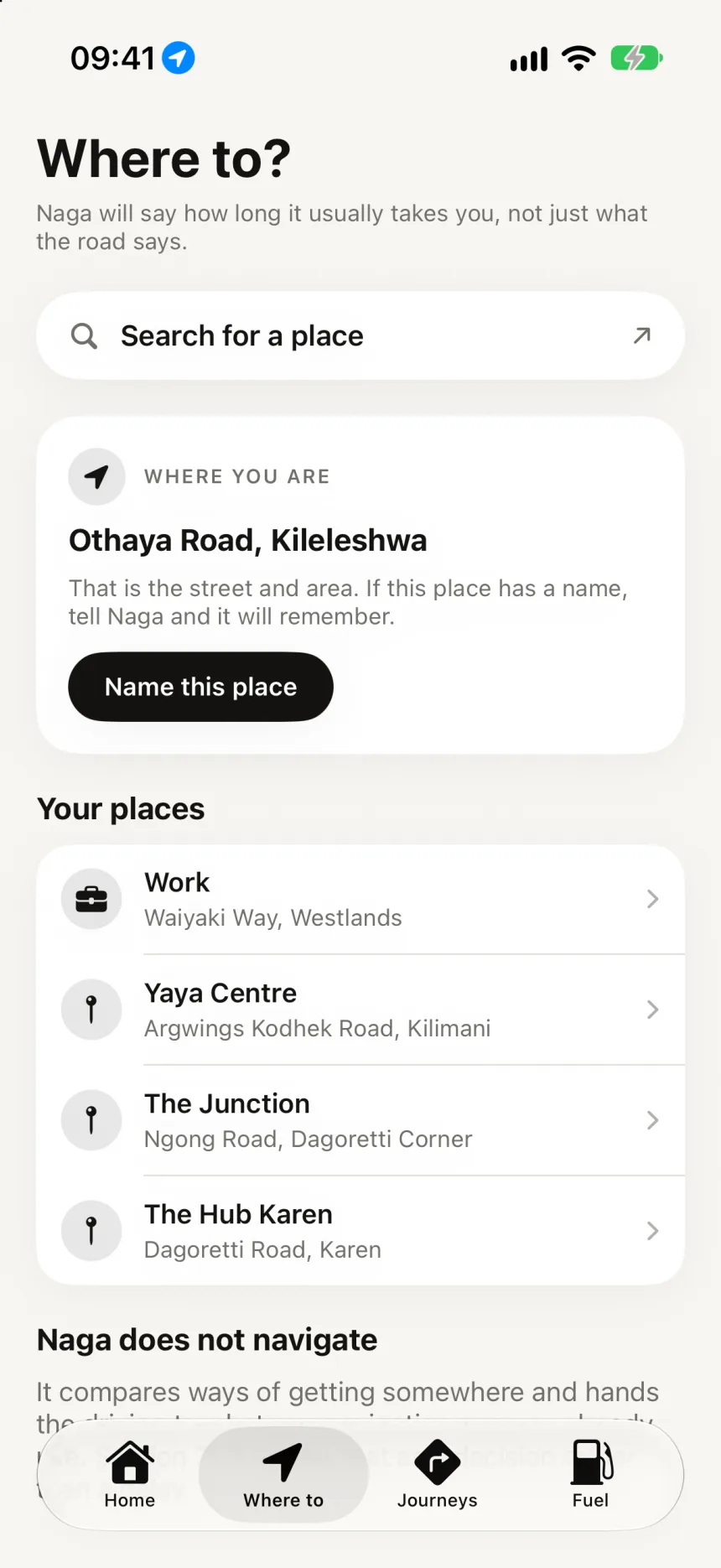
I searched for “the mirage tower” and got a Kenya Power training school 26 km away. Low-confidence results are now dropped instead of shown. Place search moved to a better provider, which I could afford precisely because search is rare.
- 05
Naga is not a map application.
The screens lead with text, and the whole app has two interactive maps at most. The second one exists only for pinning buildings that search can’t find, because a cost rule shouldn’t leave a hole in the product.
- 06
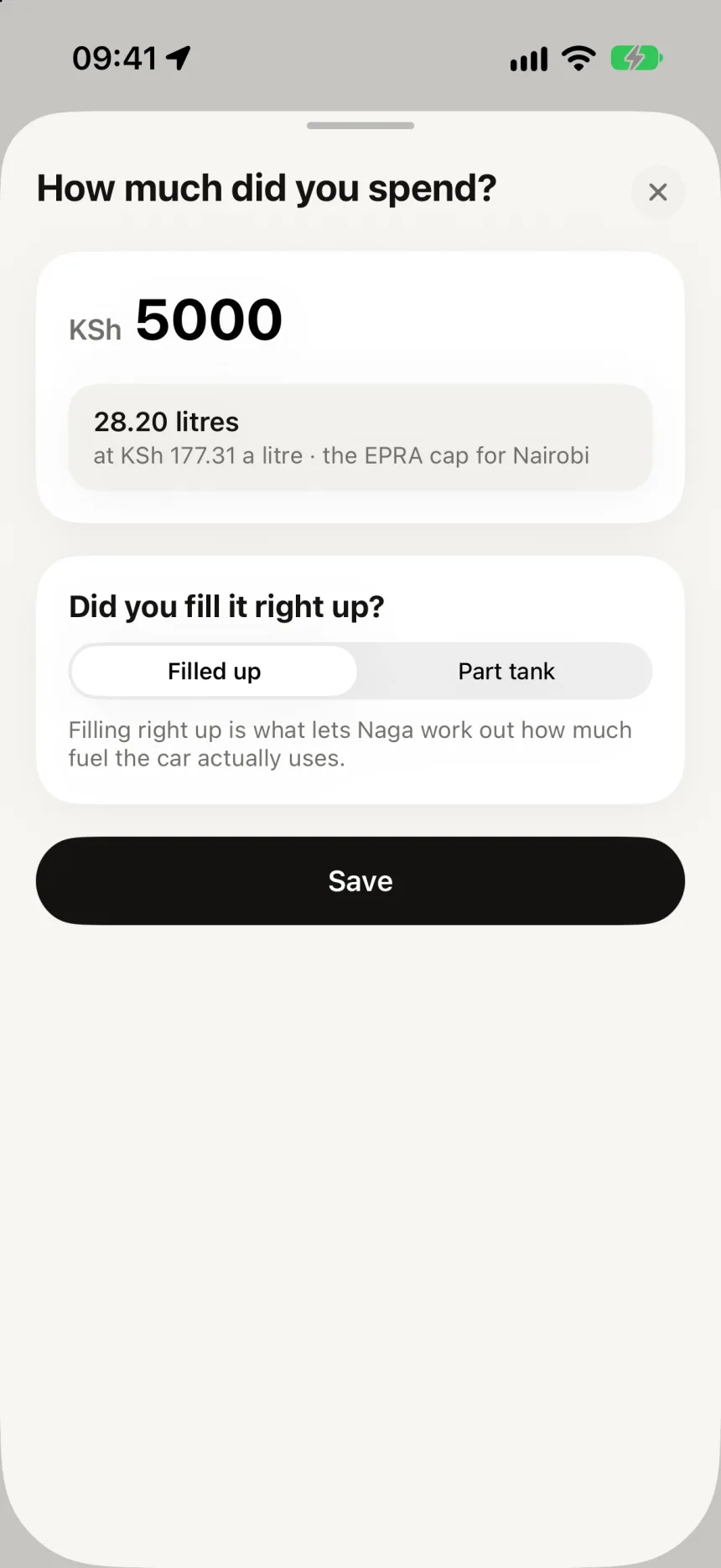
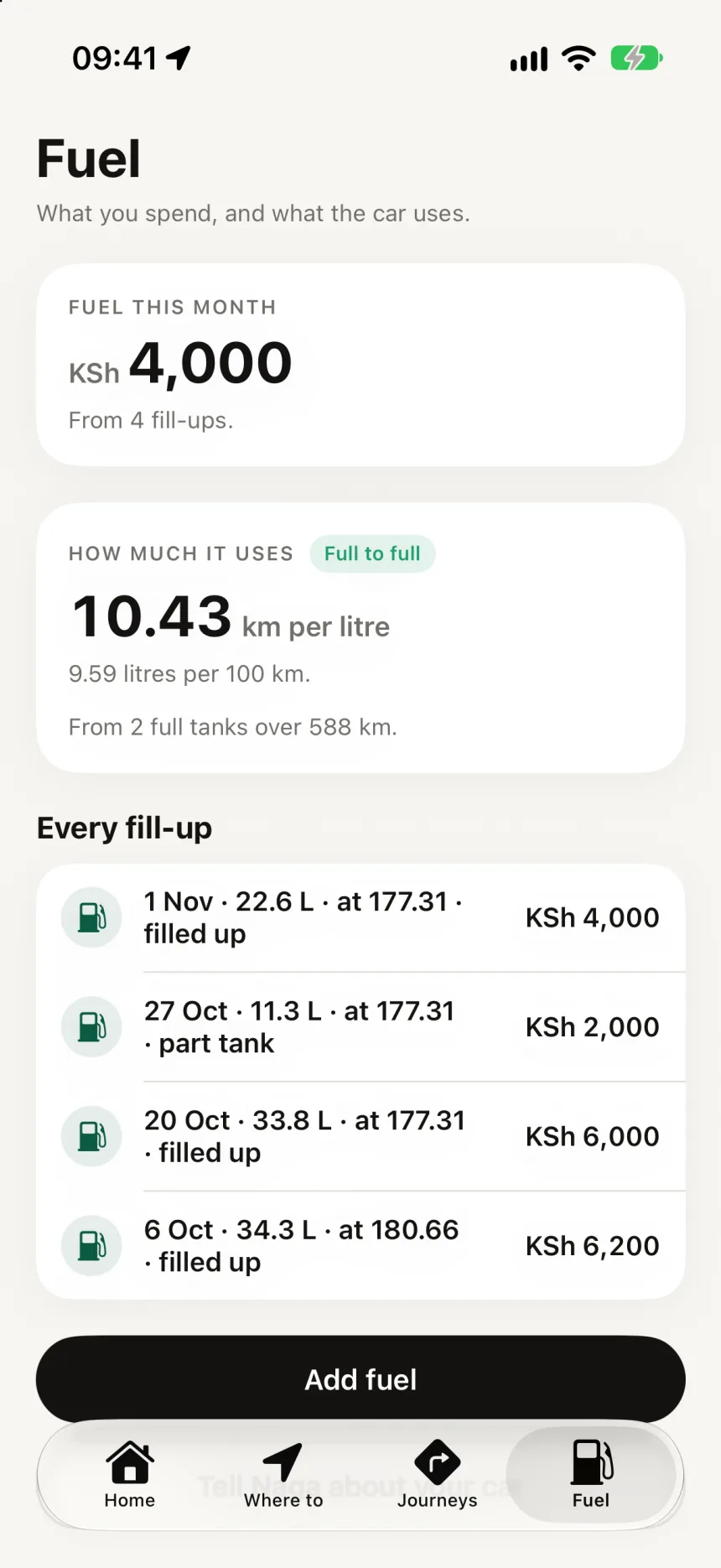
Fuel in one number.
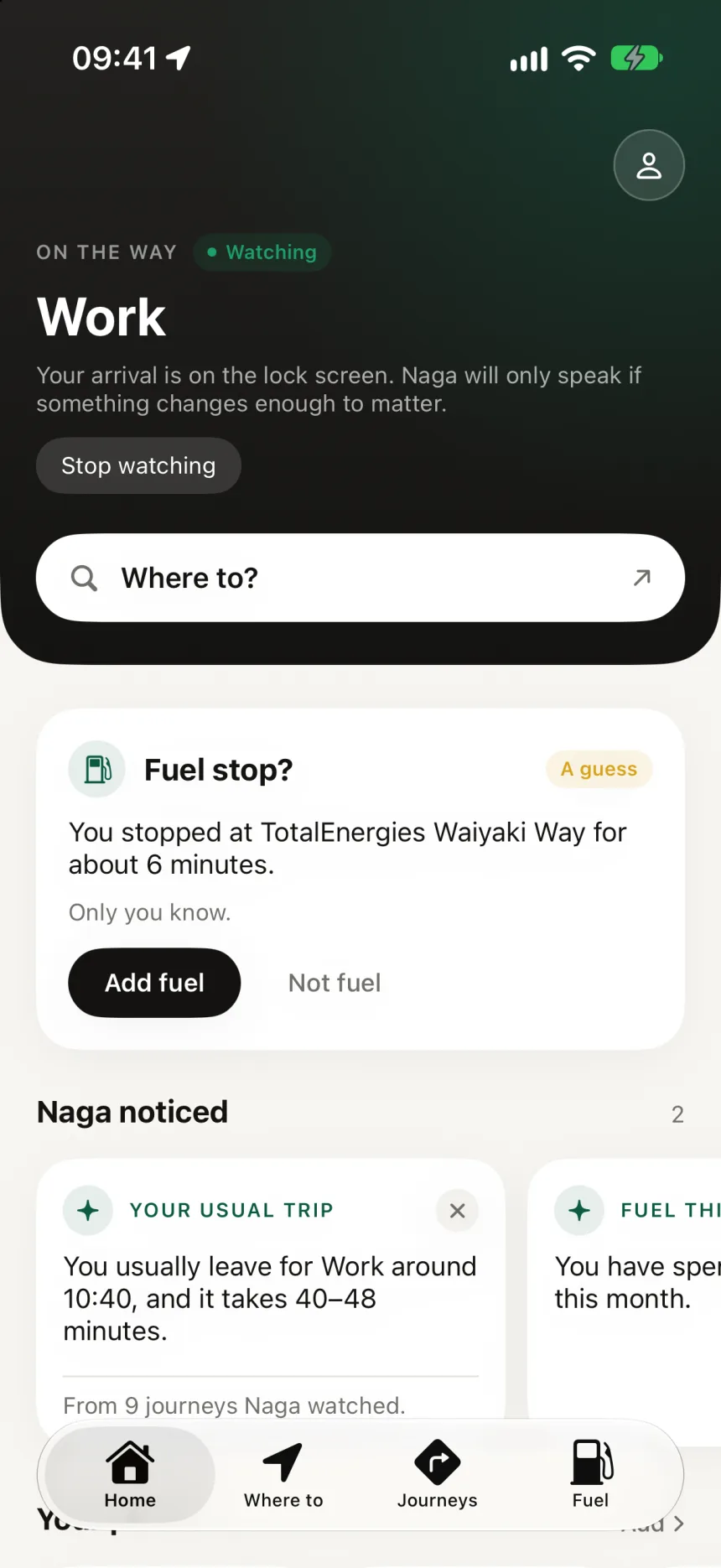
When you stop at one of 486 Nairobi stations, Naga asks “Fuel stop?” You type the amount in shillings, and it works out the litres from the regulator’s price cap. It never assumes you bought fuel, and the card is labelled “A guess.”
03Voice
Confidence decides what Naga is allowed to say.
Most apps show a confidence score as decoration. In Naga it is the gate in front of every sentence. The less Naga knows, the less it claims, down to saying nothing at all. Confidence never goes above 0.95, and arrival times are given as ranges, for example “takes 42–50 minutes”.
- 01
Too little
Say nothing. Quietly use the traffic provider’s answer.
- 02
Low
Use live traffic and city patterns. Don’t claim to know you yet.
- 03
Medium
“Your last few Thursdays have run slower.”
- 04
High
“Thursdays normally take you 52 minutes.”
In the product’s words
- “Naga noticed…”How it introduces a pattern
- “I don’t have enough history for this route yet.”Admitting it doesn’t know
- “Fare unavailable”Preferred over invented precision
- “Our AI thinks…”Never
04Making it visible
A screen that shows where the chain broke.
Automatic journey tracking fails silently. Nothing happens, and the user can’t tell whether that is because they didn’t go anywhere or because something upstream broke. So the “What Naga has seen” screen opens with every link from the phone to an insight. Each link is marked working, carrying nothing yet, or stopped.
- 01
Permission
Always, only while open, or none
- 02
Waiting on the phone
Gathered, not sent
- 03
Reached Naga
Location readings
- 04
Journeys
Trips detected
- 05
Patterns
Repeated trips
- 06
Worth saying
Insights
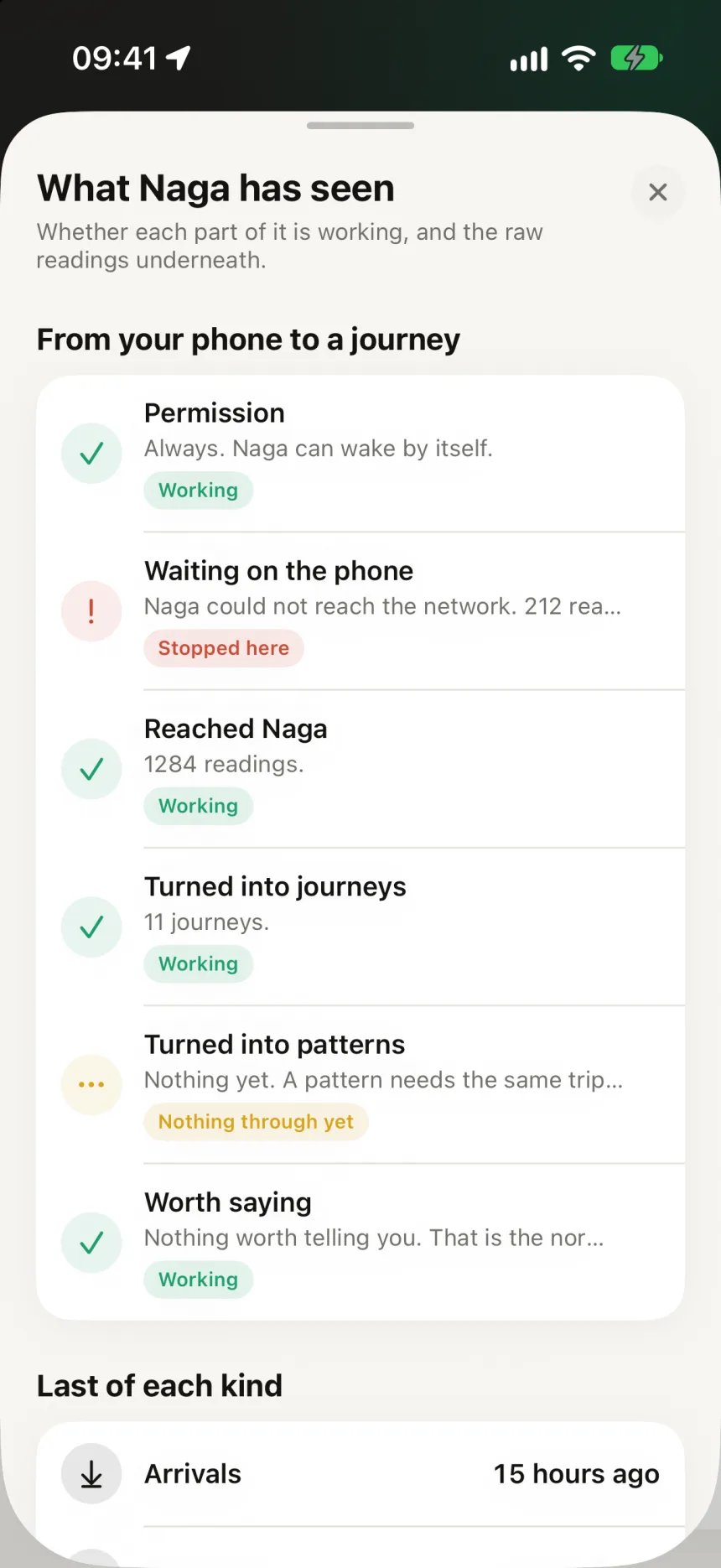
The middle state matters. A pattern needs the same trip several times before it exists, so an empty link is often healthy. With only two states, both of those would look like faults.
The screen earned its place within two weeks. It showed “1959 readings not sent yet” while the app looked fine. A single duplicate reading had jammed the upload queue for two days. The fix was smaller batches that skip duplicates, and the reason for any failure now appears on the chain instead of disappearing.
11
days of real driving without a false journey
1,959
stuck readings caught by the chain screen
218
duplicate insights found and removed
05A rebuild
From Flutter to native Swift, and what it cost.
Naga started in Flutter, which I know well. Two weeks in, I rebuilt it natively in SwiftUI. The hard part, waking up in the background for location, was already Swift, and most of the bugs lived in the seam between the two. Cross-platform wasn’t buying anything either, because I had no Android phone to test on. It also made a distinctive look a constant fight, and CarPlay was on the list.
The hard part was already Swift.
The backend didn’t change. About 12,300 lines of Dart interface were redone, and 93 tests of the core logic were ported across. The cost is written down too: most Kenyan drivers use Android, so that version now has to be built from scratch.
06Visual direction
Green is a brand colour, not a button colour.
In Flutter I built three directions, called Field, Signal and Night, and compared them side by side on the phone. Field won: lime on deep green, set in Instrument Sans. I tried serifs and rejected them because their hairlines disappear when you glance at a phone at a junction.
The native rebuild went quieter. It uses a warm off-white ground, white cards and black as the primary colour, with the forest green spent once per screen. I brought type sizes down about two points after comparing Lyft, Flighty, Oura and others. Each component notes in a code comment which app it learned from.
Flutter · Field
Ground
#E4F2E5
Ink
#0B3B2E
Lime
#B7F04A
Native
Ground
#F7F6F2
Ink
#141311
Muted
#716F6A
Forest
#0B5A42
Good
#1E9E6A
Waiting
#D8A31A
Alert
#CC4B37
Leave in 12 minutes
SF Pro
Native app. Title 30 bold, figures in monospaced digits
Leave in 12 minutes
Instrument Sans
Flutter app, Field direction
07Where it stands
Driven daily by one person, on purpose.
Naga is a personal prototype. Journey detection is proven on my own driving. Routes, live journeys, fuel and insights are built, and most are still waiting to be tested on the road. “Ask Naga”, the conversational part, is planned last, on purpose. Ordinary code does the sums, and the AI only explains them.
- —Android needs a rewrite, and aggressive battery management on Samsung, Tecno, OPPO and Infinix phones is still unsolved.
- —Crash reporting, email confirmation and the home screen widget are still to come before anyone else uses it.
- —Public transport is deliberately out of the first version.
BloomCare+
A child’s health passport that starts with the hardest part: logging the day when you’re tired.